What to check on a V5C logbook
The logbook is how you know the seller has the right to sell the car. Five things to check before you pay.
What a V5C is
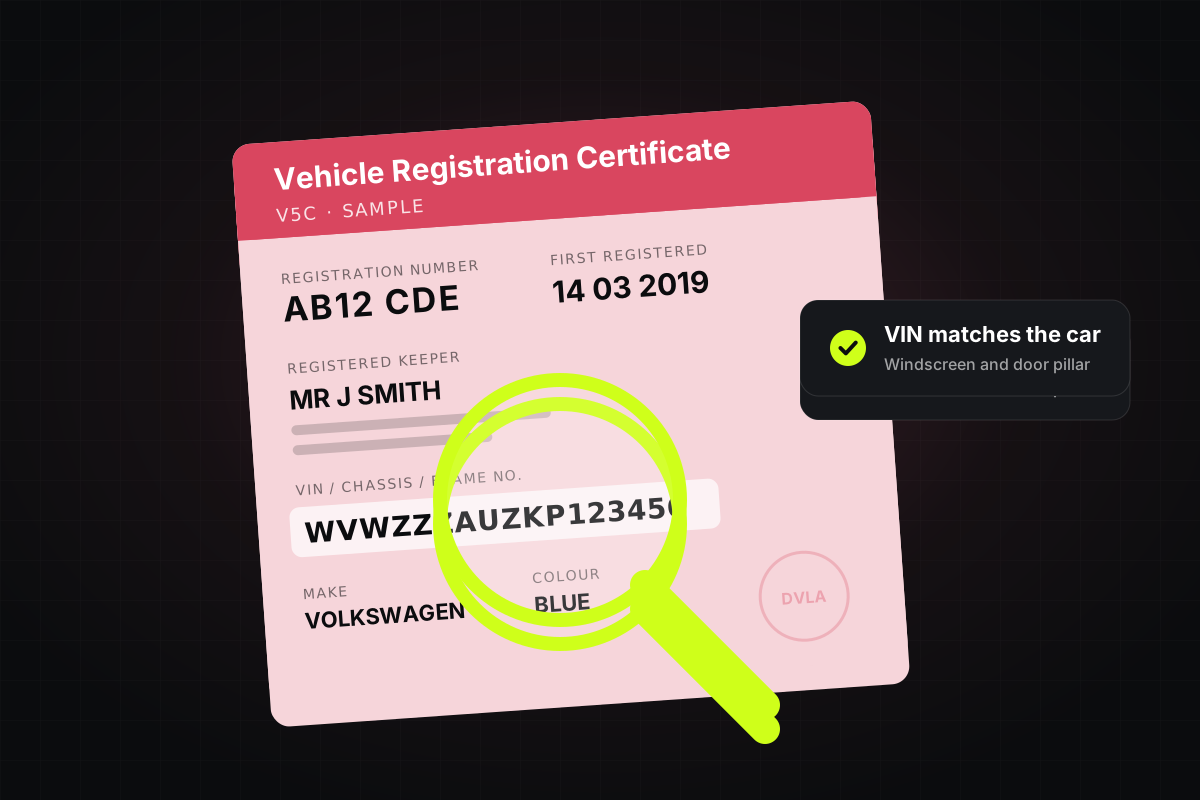
The V5C, or logbook, is the car’s registration certificate. It shows the registered keeper: the person responsible for the car. That’s usually, but not always, the owner.
- NameThe seller’s ID
- AddressWhere you’re viewing the car
- VINThe number on the car itself
Name and address
The keeper’s name should match the seller’s ID, and the address should be where you’re viewing the car. A seller who wants to meet in a car park or at a friend’s house is a warning sign.
The VIN and engine number
Match the 17-character VIN on the logbook to the car: it’s usually at the base of the windscreen and on a door pillar. If they differ, don’t buy it.
Is the logbook genuine?
Hold it up to the light: a real V5C has a DVLA watermark. Check the colour and the details on the logbook match the car and the advert.
No logbook?
Don’t buy a car without one. “It’s been sent off” is a common story with stolen cars and cars on finance.
When you buy
The seller fills in the new keeper details, tells the DVLA online and gives you the green new keeper slip. Your own V5C should arrive within a few weeks.
- Seller tells DVLAOnline, the same day
- You get the slipGreen V5C/2
- New logbookIn the post, in a few weeks